
Buddy the Unicorn Wallpaper: Make Your Own in 4K
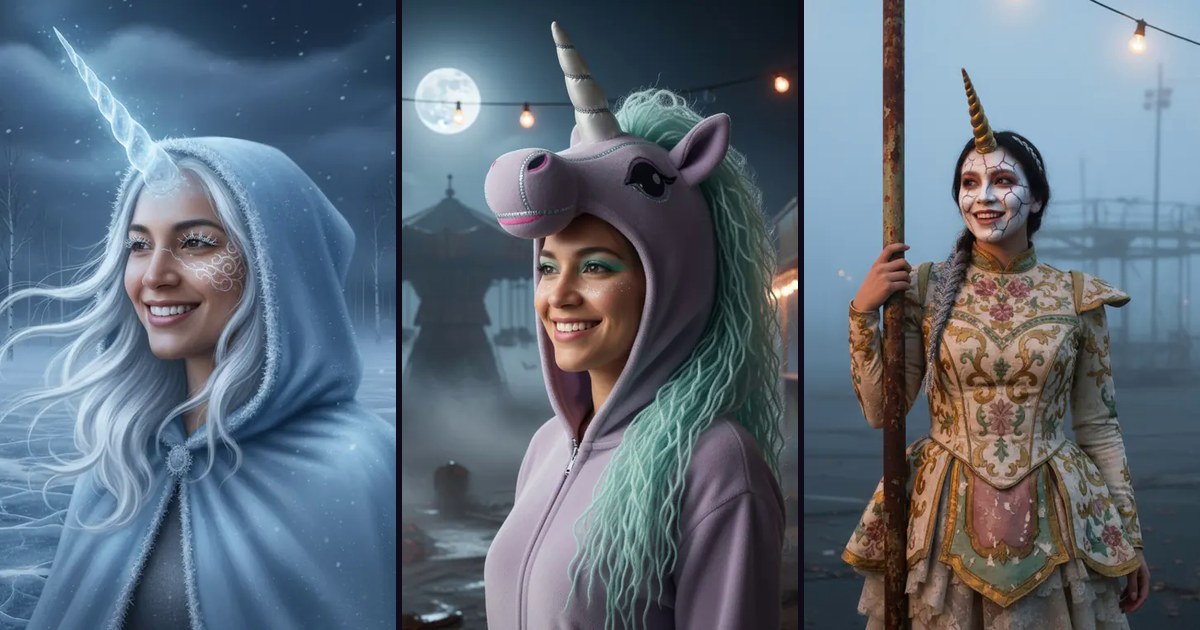
If you want a Buddy the Unicorn wallpaper that nobody else has, make one from your own photo: turn a selfie or pet photo into an original haunted unicorn portrait, then upscale it 4x so it stays sharp on a phone lock screen or a 4K monitor.
Buddy the Unicorn is the title character of the R-rated comedy horror film Buddy (2026), and his costume became one of the most searched Halloween looks this year. Film stills belong to the studio, so this guide does not hand out copies of the character. It shows you how to build your own Buddy the Unicorn wallpaper inspired by the trend instead.
You will create the portrait, pick a backup costume look, upscale it to the right pixel size, and crop it for your screen. Every size below is worked out for a square portrait, like the samples both generators show.
Upscale your Halloween portrait to 4K on Monipix
What do you need to make a Buddy the Unicorn wallpaper?
You need one clear photo, a look generator, and an upscaler. That is the whole kit.
- A photo. A selfie, your dog or cat, or a couple shot. Face clear, not tilted far, in decent light.
- A look generator. The two sites below take JPG, PNG, WebP or HEIC photos up to 20 MB and give one free look to a new account.
- An upscaler. Monipix takes JPG, PNG, WebP or HEIC files up to 50 MB. Every upscale costs 1 credit at any scale, and free accounts get 10 credits a month.
- Your screen size. Look it up once (Settings → About on most phones). The table in step 3 covers the common ones.
Step 1: Turn your selfie or pet into a haunted unicorn portrait
Open the haunted unicorn look generator on BuddyTheUnicorn.org, an unofficial Buddy the Unicorn fan hub. Upload one photo, pick a preset, and download the result.
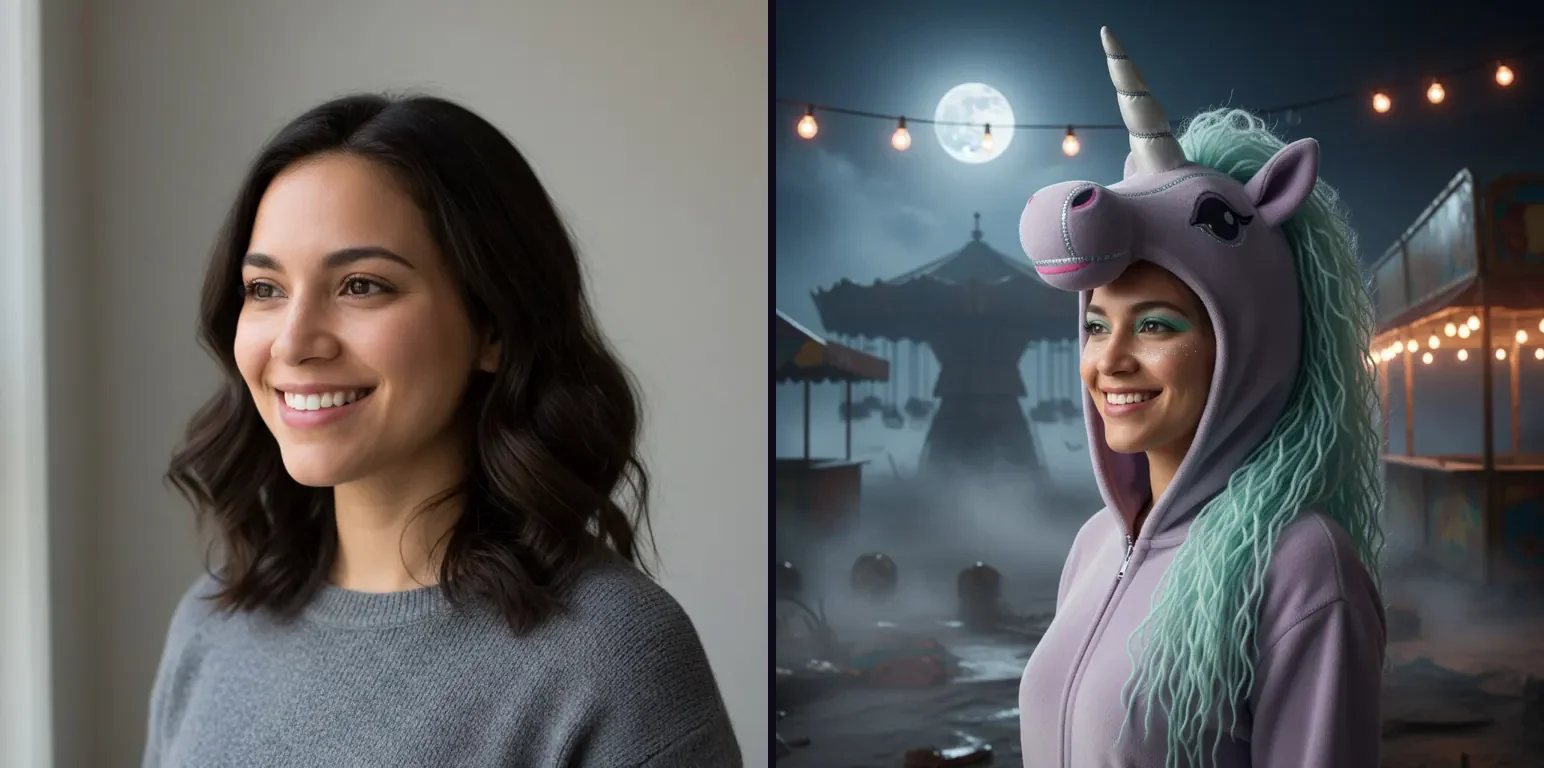
Left: the AI-generated sample photo the site uses. Right: its Moonlit Haunted Unicorn preset. Both are 768 × 768 previews from BuddyTheUnicorn.org.
The site lists 24 looks, split into selfie, pet and couple presets. Moonlit Haunted Unicorn, Porcelain Carousel Unicorn, Frost Phantom Unicorn and Pumpkin Patch Unicorn Pet are the ones that read best as a wallpaper, because the subject sits in the middle with plenty of background around it.
Each preset is an original creature inspired by the trend, not a copy of the film's design. The site says so on its own page, and it also covers who Buddy is and where to watch the movie if you want the backstory.
| BuddyTheUnicorn.org (checked 21 Oct 2026) | Detail |
|---|---|
| Looks | 24 presets: selfie, pet, couple, kid-friendly |
| Upload | JPG, PNG, WebP, HEIC up to 20 MB |
| Free | 1 look per new account after email sign-in |
| Paid | Packs from $9.90 |
| Storage | Photos deleted after use, results kept 90 days |
Step 2: Try a witch, vampire or pet costume on the same photo
If the unicorn is not your look, run the same photo through the AI Halloween costume generator on AIHalloweenCostume.net. It puts a full costume, hair and scene around your real face, and keeps your features.
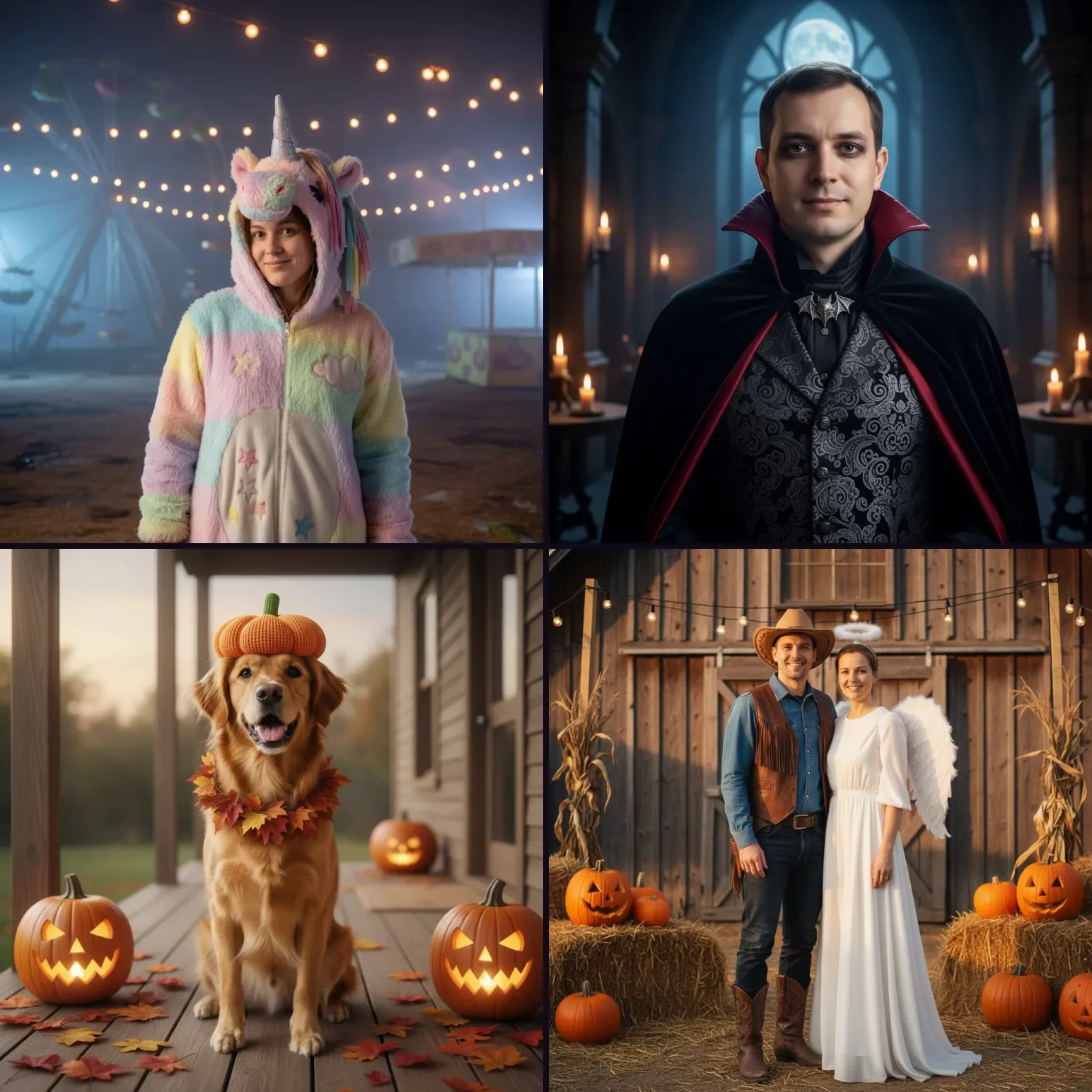
Haunted Unicorn Mascot, Velvet Vampire, Pumpkin Pet and Cowboy & Angel presets, shown as 768 × 768 samples on AIHalloweenCostume.net.
It has 12 looks for selfies, couples, kids and pets, including its own Haunted Unicorn Mascot. Every preset shows the prompt behind it, so you can see what the image AI was asked for. A matching pair of wallpapers, such as Cowboy & Angel for two phones, is the easy win here.
| AIHalloweenCostume.net (checked 21 Oct 2026) | Detail |
|---|---|
| Looks | 12 presets: selfie, couple, kids, pets |
| Upload | JPG, PNG, WebP, HEIC up to 20 MB |
| Free | 1 look after you sign in |
| Paid | One-off packs from $9.90 for 10 looks, no subscription |
| Storage | Results deleted after 30 days |
Step 3: Upscale the portrait 4x for a phone or 4K screen
A 4x upscale is the right setting for almost every Buddy the Unicorn wallpaper. AI portraits are sized for viewing in a browser, and a phone lock screen or a 4K monitor needs far more pixels. Check your download's size first (Get Info on a Mac, Properties on Windows).
Open the Monipix AI image upscaler, drop in the downloaded portrait, choose 4x, and download the result. A 1024 × 1024 portrait comes back at 4096 × 4096; a 768 × 768 one comes back at 3072 × 3072.
| Screen | Pixels | Square side needed | Scale for a 1024 px portrait |
|---|---|---|---|
| iPhone 16 Pro Max | 1320 × 2868 | 2868 px | 4x (4096 px) |
| Pixel 9 Pro | 1280 × 2856 | 2856 px | 4x (4096 px) |
| 1440p monitor | 2560 × 1440 | 2560 px | 4x (4096 px) |
| 4K monitor | 3840 × 2160 | 3840 px | 4x (4096 px) |
| 8 × 10 in print at 300 DPI | 2400 × 3000 | 3000 px | 4x (4096 px) |
Why the square side is so large: a phone fills its tall screen by cropping a square image to the screen's height, and a monitor fills its wide screen by cropping to its width. The long edge decides the size.
Do not stop at 2x. A 1024 px portrait at 2x is 2048 px, which is short of a large phone's 2868 px height, so the phone stretches it again and softens the face. If your download is 768 px, 4x gives 3072 px, enough for any phone but just short of a 4K monitor's 3840 px width, so pick 8x for desktop.
Upscale your haunted unicorn portrait 4x
Step 4: Crop the upscaled portrait to your screen
Let the phone do the crop. On iPhone, open the upscaled image in Photos and choose Use as Wallpaper, then pinch to place the face. On Android, open it in your gallery and choose Set as wallpaper.
For a desktop, most systems fill the screen and crop the edges for you. If you need an exact file size, such as 3840 × 2160 for a dual-monitor tool, crop to a 16:9 frame in any photo editor first, then check the pixel size with the Monipix image resizer. It shows the width and height of what you upload and runs in your browser.
Do not enlarge in the resizer. Its own note says making an image bigger there only stretches it; the upscaler is the step that adds detail.
What does a good Buddy the Unicorn wallpaper look like?
A good Buddy the Unicorn wallpaper keeps the face sharp at full screen and leaves room for the clock. Check these four things before you set it.
- Eyes and horn edges. Zoom to 100% on the upscaled file. Eyelashes and the horn's outline should be crisp lines, not smears.
- Clock space. On a phone, the top fifth of the screen holds the time. Place the horn or the background there, not the eyes.
- Skin texture. If the face looks waxy after upscaling, the portrait was already soft. Regenerate the look from a sharper photo rather than upscaling twice.
- Banding in fog and night skies. Dark gradients show steps first. Save as PNG, not a heavily compressed JPG.
Can you download an official Buddy the Unicorn wallpaper here?
No. This post and the two generators above do not provide stills or artwork from Buddy (2026); those belong to the film's studios and distributors. What you get is an original haunted unicorn portrait of you or your pet, which is yours to post and set as a background.
What else can you make from a haunted unicorn portrait?
You can turn the same portrait into a short video, and you can sharpen any Halloween clips that go with it. Both jobs sit outside this guide.
A hand-drawn reveal video. To make the portrait draw itself line by line for Reels or TikTok, use the photo to hand-drawn video generator on SpeedPainter. Upload the portrait as a JPG or PNG, pick a reveal style, and choose 9:16 for vertical video.
A sharper Halloween video. If your party clips look soft, the AI video upscaler on VideoUpscaler takes MP4, MOV, MKV or WebM files up to 500 MB and outputs 1080P, 2K or 4K, priced per second of video.
When is this route the wrong choice?
Skip it if you want the exact on-screen character. Neither generator copies the film's design, by their own rules.
Skip it if you will not upload a photo of a person. The generators need one, and you should only upload yourself or people who agreed.
Skip it if you need more than one free try. Each site gives one free look, then packs start at $9.90.
Skip it if your source is a tiny screenshot under 300 pixels. Upscaling restores detail, but it cannot invent a face that is not in the file.
FAQ
Is there a free Buddy the Unicorn wallpaper maker?
Both generators above give one free look to a new account. The Monipix upscaler gives free accounts 10 credits a month, and one upscale costs 1 credit at any scale.
What resolution should a Buddy the Unicorn wallpaper be?
Match your screen's long edge: about 2900 pixels tall for a large phone and 3840 pixels wide for a 4K monitor. A 4x upscale of a 1024 px portrait covers both.
Will the generator make me look exactly like Buddy the Unicorn?
No. Every preset is an original spooky unicorn inspired by the Halloween trend, not a copy of the film's character or costume.
Can I make a matching couple wallpaper?
Yes. Both sites have couple presets, such as Unicorn & Ringmaster on BuddyTheUnicorn.org and Cowboy & Angel on AIHalloweenCostume.net. Upscale both files with the same scale so they match.
Can I turn my dog into a haunted unicorn wallpaper?
Yes. Pet presets such as Pumpkin Patch Unicorn Pet keep your pet's breed and coat. Use a still photo taken at the pet's eye level.
Should I upscale before or after cropping?
Upscale first, then crop. Cropping first throws away pixels the upscaler could have used, and you get a smaller final file.
Pick your photo, make the look, and upscale it 4x before Halloween night so your lock screen is ready by October 31.
Upscale your Buddy the Unicorn wallpaper on Monipix
Sources
- BuddyTheUnicorn.org: look presets, limits, film background. Checked 21 October 2026.
- AIHalloweenCostume.net: look presets, limits, pricing. Checked 21 October 2026.
- Apple iPhone 16 Pro tech specs: 2868 × 1320 display on iPhone 16 Pro Max.
- Google Pixel 9 Pro tech specs: 1280 × 2856 display.