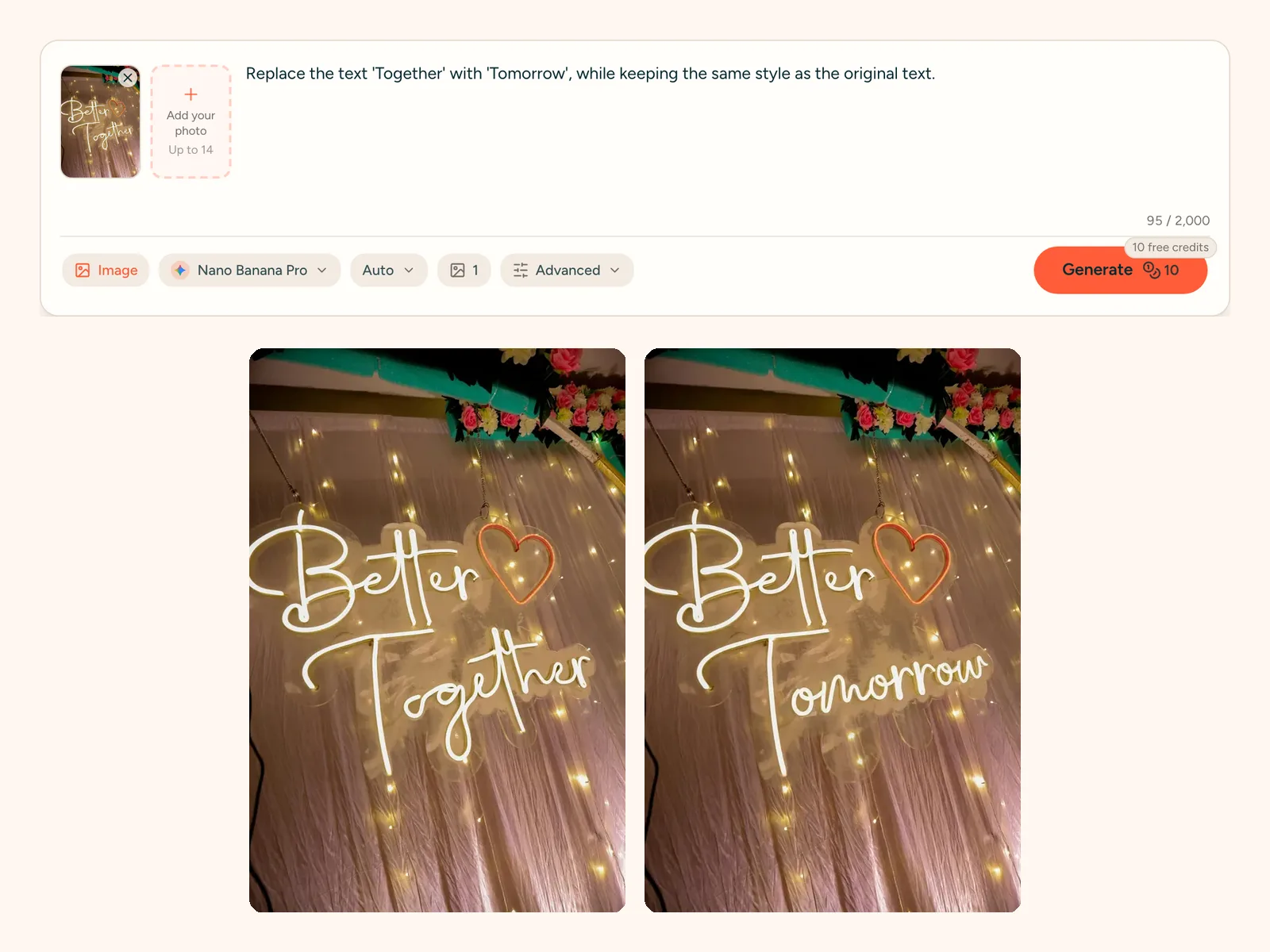
Edit Text in Image

Edit Text in Image: Change the Words, Keep the Look

Upload a photo, say which words to change and into what, and get the same picture with your new text. JPG, PNG or WebP, ready in about a minute.

Keeps the original fontJPG, PNG, WebPAbout a minute per edit
0 / 2,000
Image
1
10 free credits

Popular models

Get inspired

Click any picture to use its prompt

What you can fix when you edit text in image files

Most of the time the photo is right and only the words are wrong. A typo, an old price or a name that changed. These are the jobs people bring here most.

Change the text on a sign or poster

The shop got a new name, the event moved to Friday, the poster says 20% where it should say 30%. Type the new words, and when you edit text in image signs this way the letters, color and glow stay.

A JPG text editor with no layers

A flattened JPG has no text layer to click on. Here you do not need one. Describe the change in a sentence and the words are painted back into the photo as if they were always there.

Fix numbers, dates and prices

Changing a date on a flyer, a price on a menu board or a number on a banner is the most common job. Short words and numbers come out cleanest, and the rest of the picture stays as it was.

Cost per edit
10 credits (18 at 4K)
Time
About 1 minute
Works with
JPG, PNG, WebP up to 10MB
Output size
1K · 2K · 4K

Real photos where we edit text in image signs

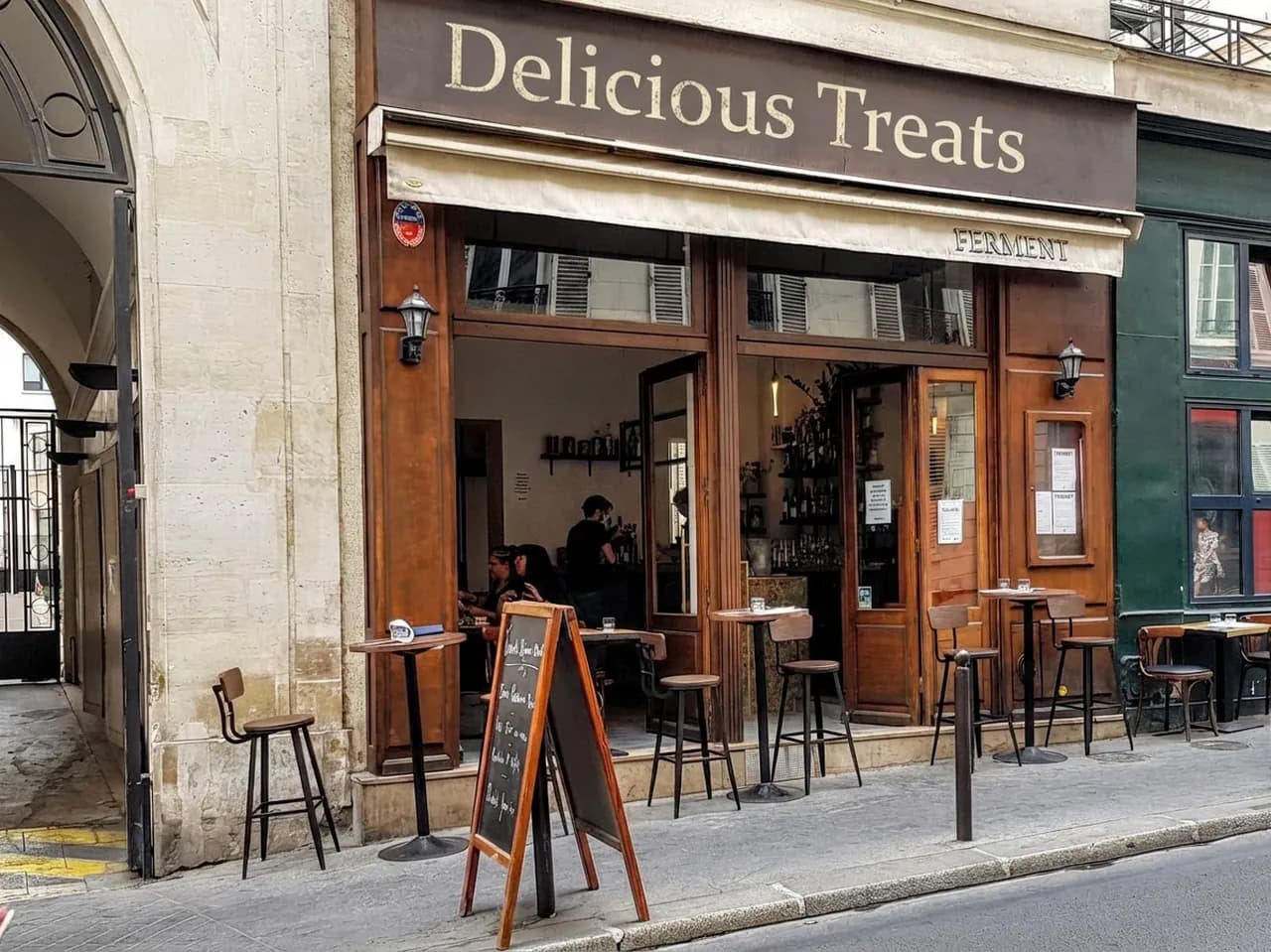
Stone cafe front with a dark wooden sign; the word FERMENT on the left is replaced by Delicious Treats in the same cream serif lettering on the right (Edited)
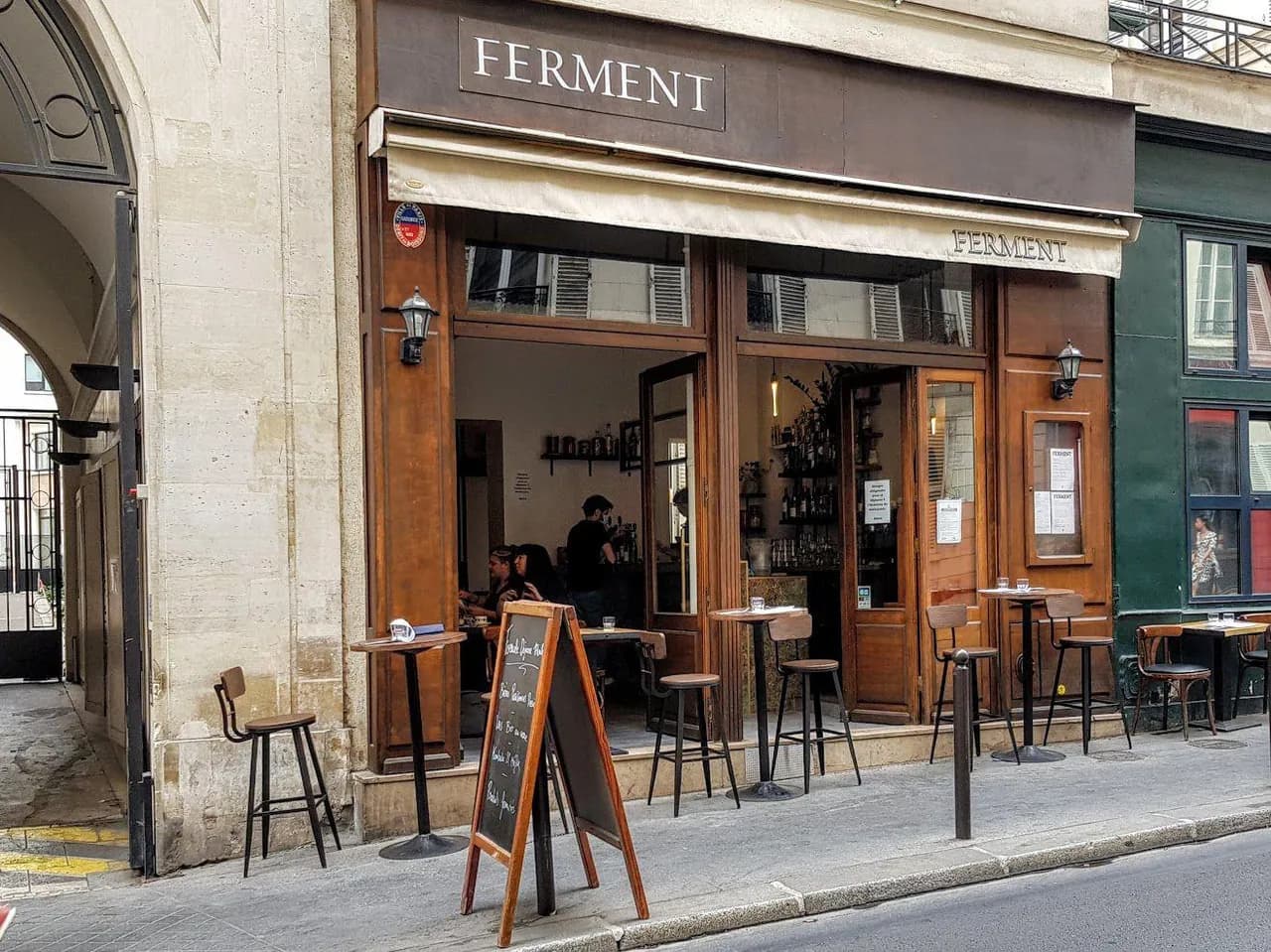
Stone cafe front with a dark wooden sign; the word FERMENT on the left is replaced by Delicious Treats in the same cream serif lettering on the right (Original)

SHOPFRONT · BEFORE → AFTER

Change the text on a shop sign

A cafe front in old stone, a painted board above the door that reads FERMENT. We asked for Delicious Treats in the same style. The new name sits in the same cream lettering on the same dark board. The awning text was not part of the request, so it stayed.

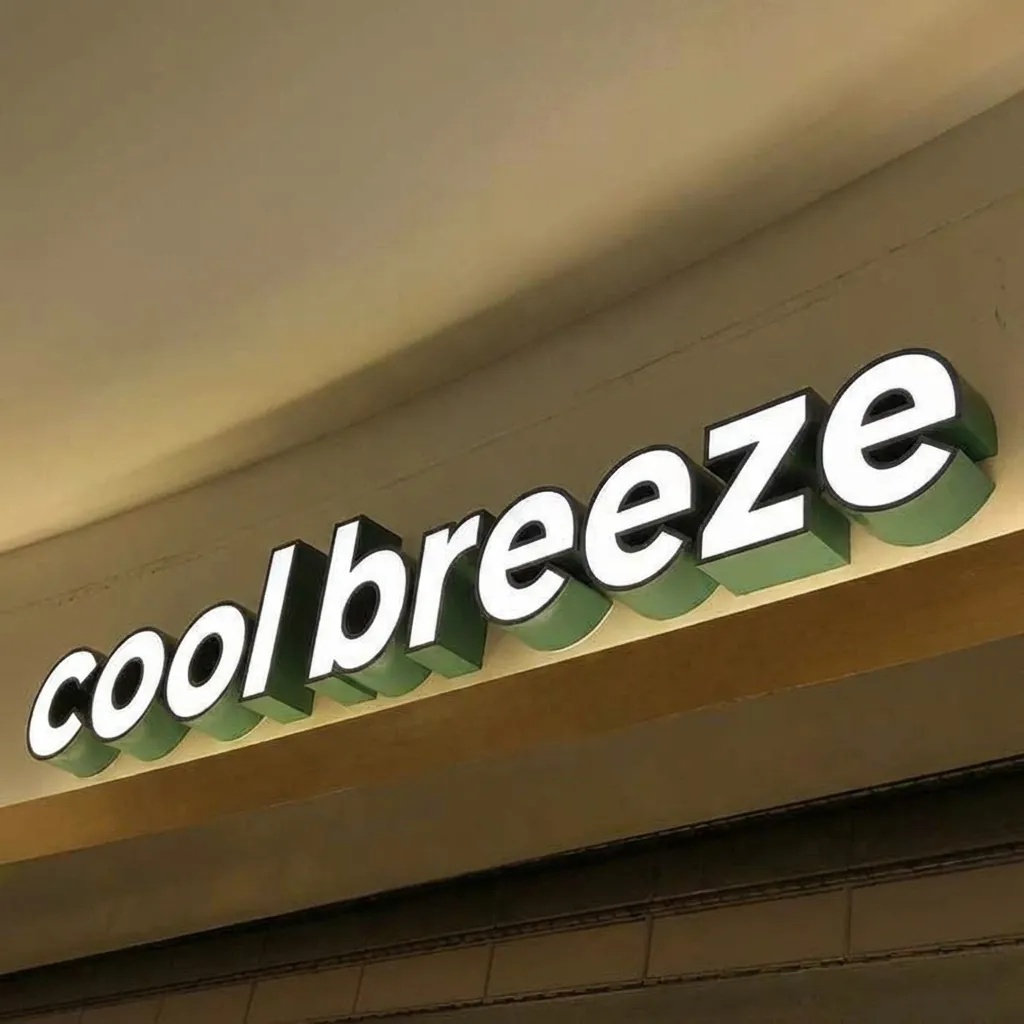
Illuminated 3D letter sign under a curved ceiling, reading hotwind on the left and cool breeze on the right with the same white faces and green sides (Edited)
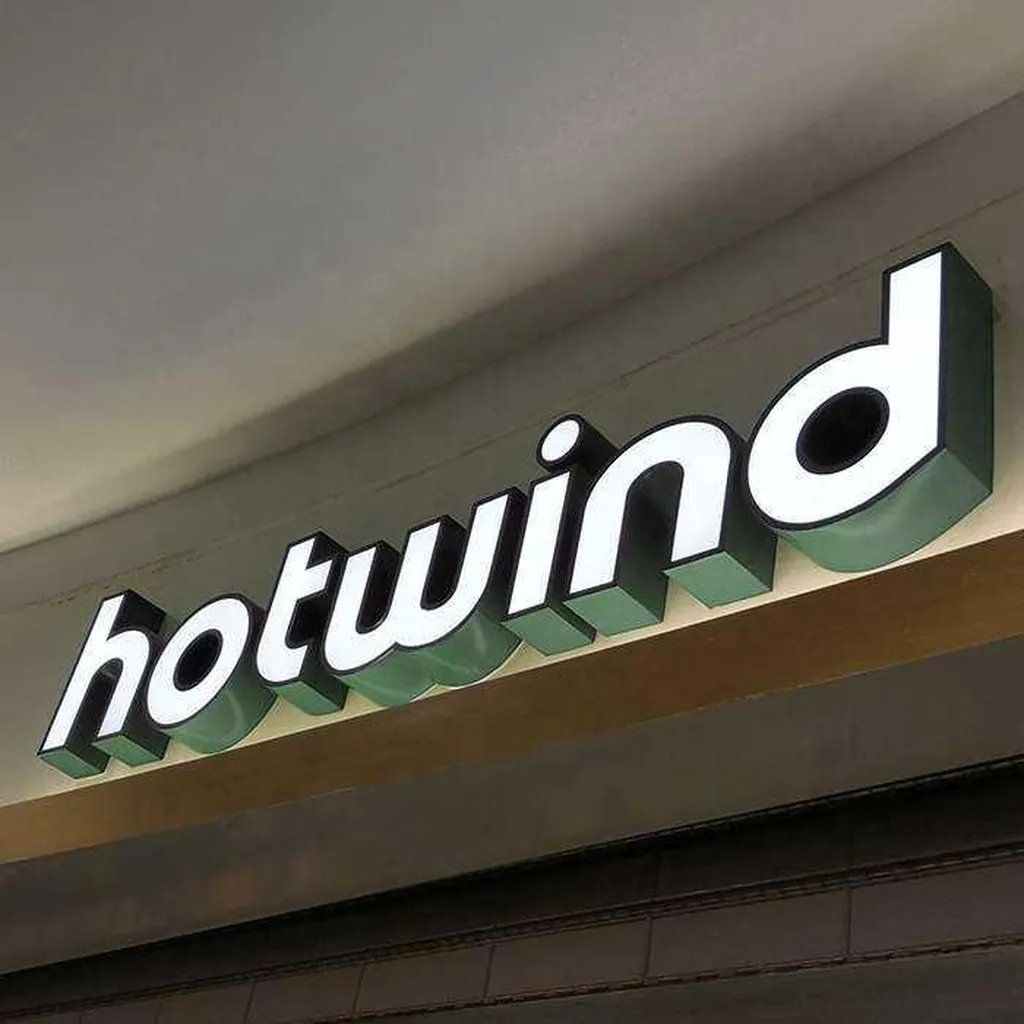
Illuminated 3D letter sign under a curved ceiling, reading hotwind on the left and cool breeze on the right with the same white faces and green sides (Original)

SIGN · BEFORE → AFTER

Rename a 3D letter sign on a wall

Lit 3D letters are hard to fake by hand: each one has a face, a side and a shadow. The word hotwind became cool breeze, and the white faces, green sides and soft glow carried over. The angle of the wall and the ceiling light stayed the same.

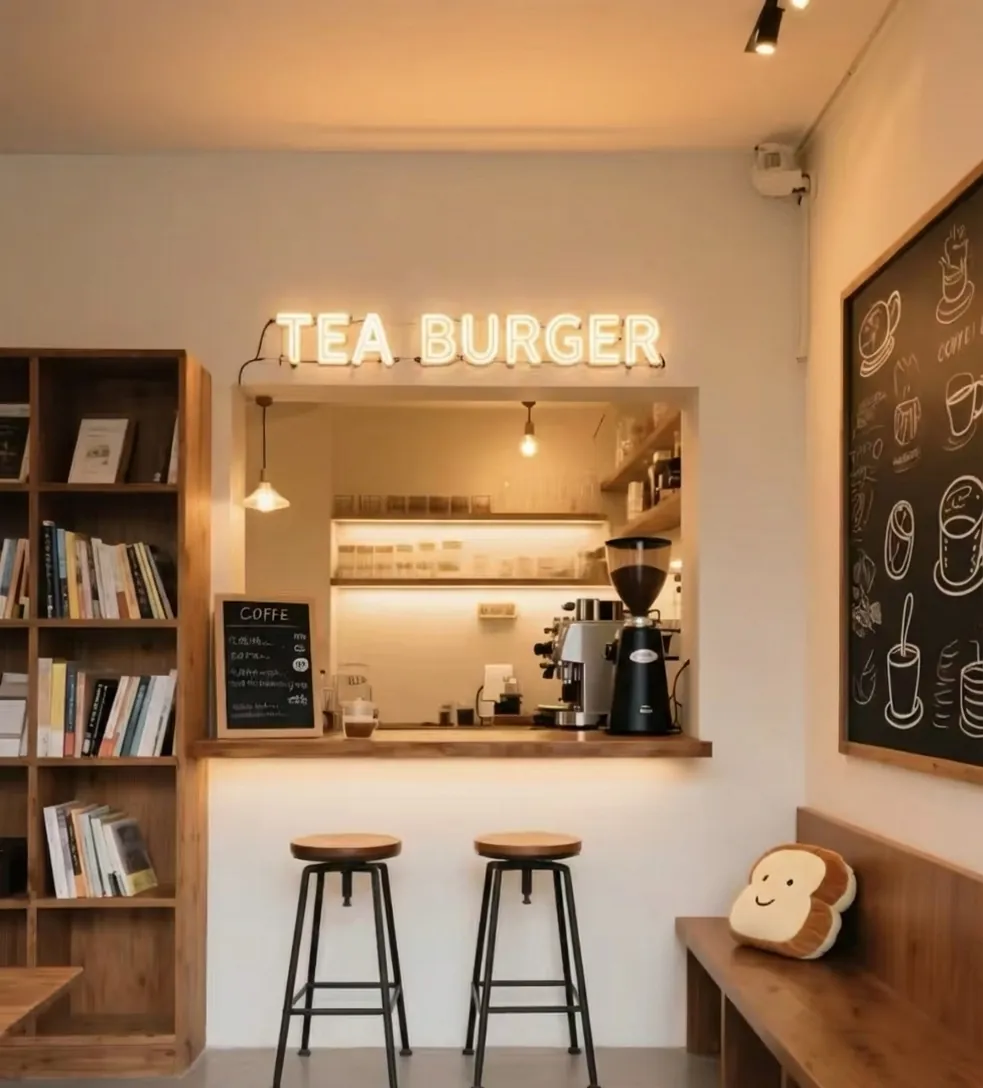
Cozy cafe counter with a warm neon sign; TEA COFFEE on the left becomes TEA BURGER on the right while the shelves, stools and chalkboard stay the same (Edited)
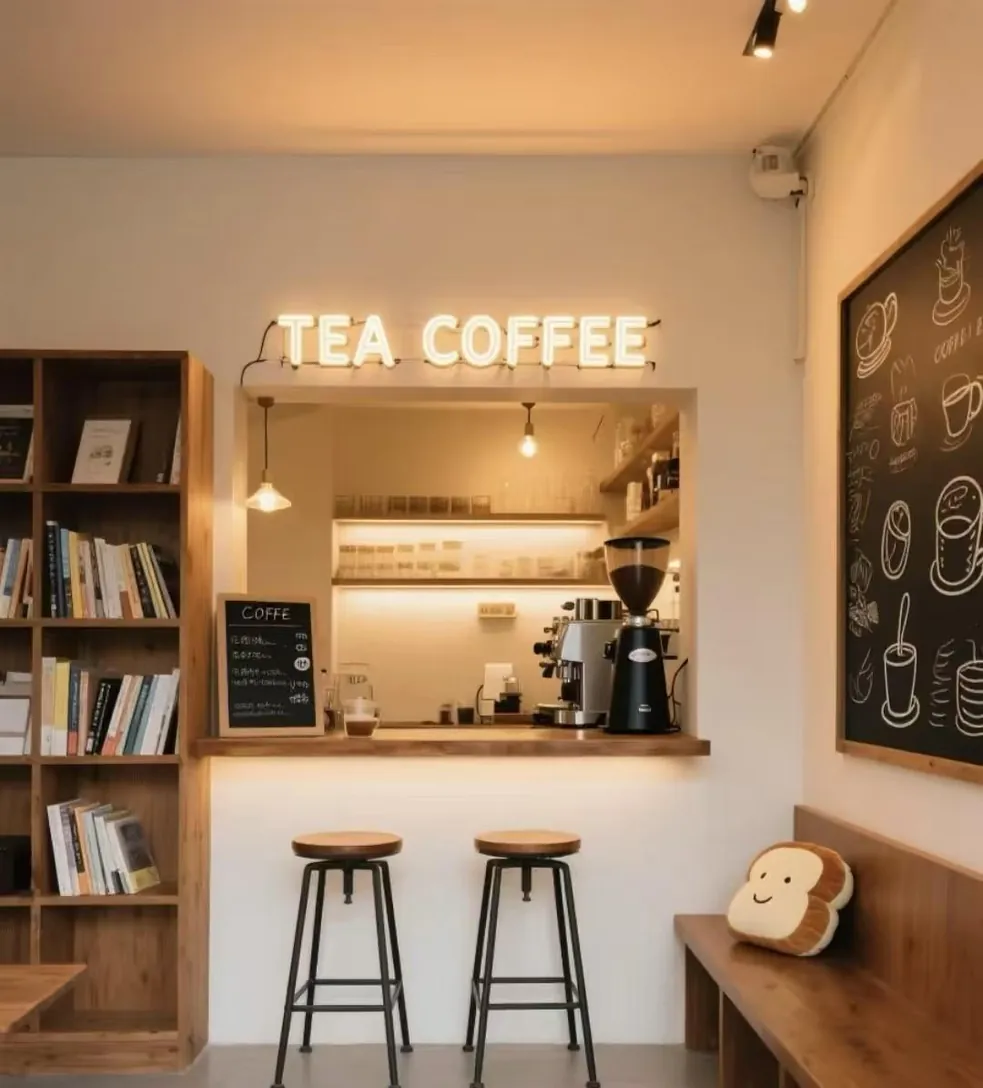
Cozy cafe counter with a warm neon sign; TEA COFFEE on the left becomes TEA BURGER on the right while the shelves, stools and chalkboard stay the same (Original)

NEON · BEFORE → AFTER

Swap a word in a neon sign

A small cafe counter with a warm neon sign that reads TEA COFFEE. Only the word COFFEE was named, so only COFFEE changed to BURGER. TEA, the glow, the shelves, the stools and the chalkboard are untouched. Good for testing a menu idea before you order a new sign.

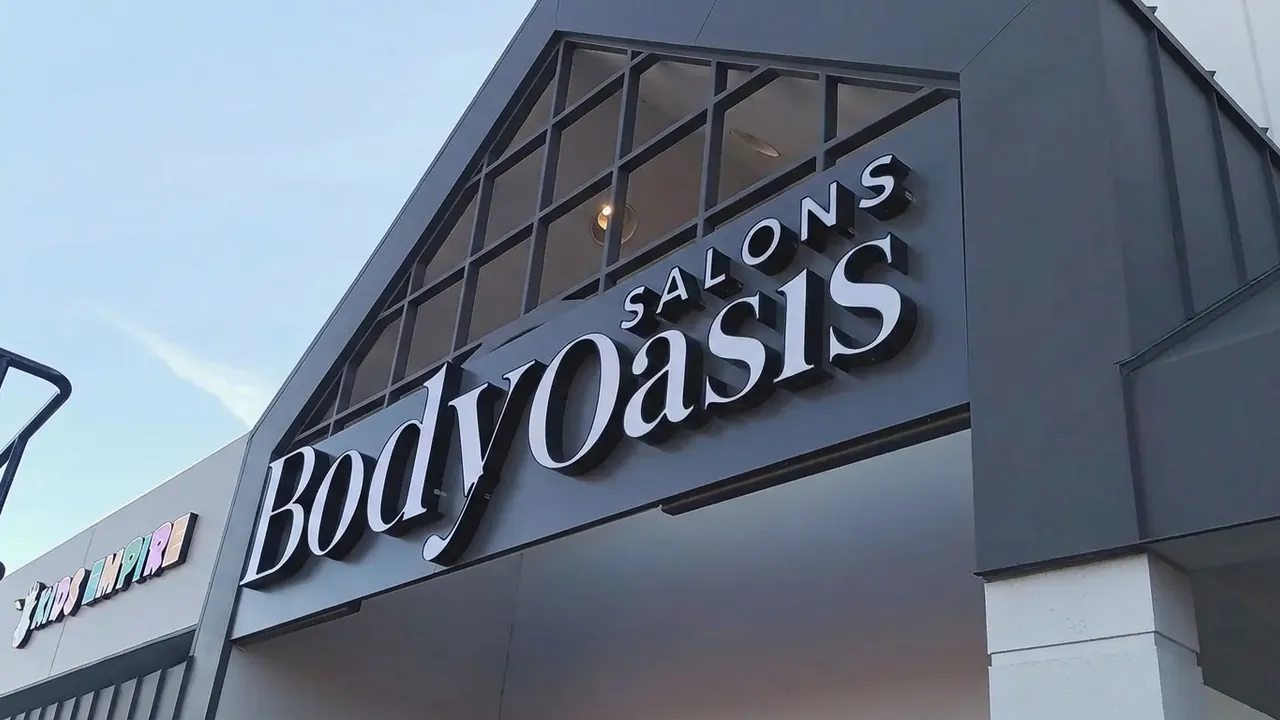
Salon building with large white letters on a dark facade; Body spa on the left reads Body Oasis on the right in matching serif letters (Edited)
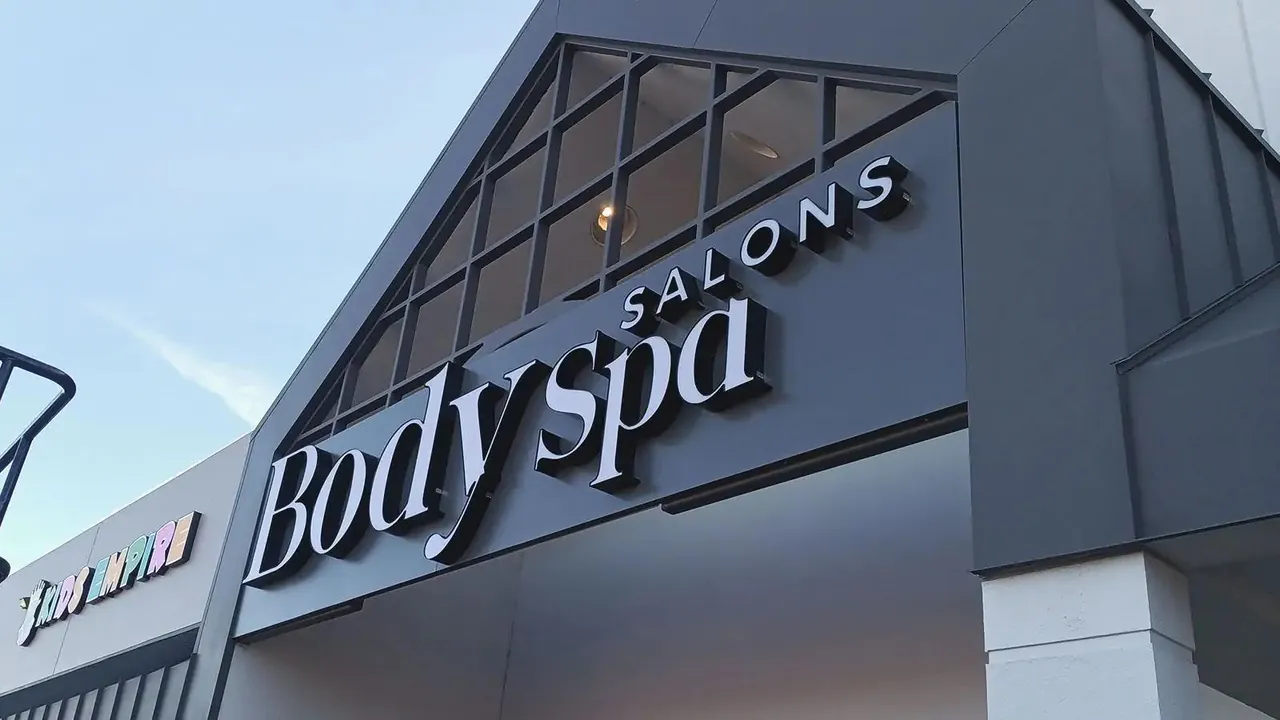
Salon building with large white letters on a dark facade; Body spa on the left reads Body Oasis on the right in matching serif letters (Original)

FACADE · BEFORE → AFTER

Edit the brand name on a building

A salon front with large metal letters against a dark wall. We asked to replace Spa with Oasis. The new word matches the serif letters next to it, sits on the same line and catches the same evening light. Handy for showing a client a renamed storefront.

The image text editor with a shop sign photo uploaded and a request to change the sign's word, next to the original and edited versions of the same sign

How to edit text in image files online

Four short steps. No layers, no fonts to hunt for, nothing to install.

Other ways to change a photo

One plan for upscaling and AI generation

Every plan upscales to 8K & 16K. Paid plans add far more credits and every image and video model.

Starter

$16.58/month
Billed $199 annuallySave 2 months
Unlimited image upscaling, free for 1 month (web + Canva app)Your credits go to AI image & video generation instead.
7,200 credits for the year, granted upfront
  • Every image & video model, full video renders
  • Use credits anytime — no monthly cap
  • Email support
Most Popular

Professional

$33.25/month
Billed $399 annuallySave 2 months
Unlimited image upscaling, free for 3 months (web + Canva app)Your credits go to AI image & video generation instead.
21,600 credits for the year, granted upfront
  • Every image & video model, full video renders
  • Use credits anytime — no monthly cap
  • Priority support

Premium

$58.25/month
Billed $699 annuallySave 2 months
Unlimited image upscaling, free for 6 months (web + Canva app)Your credits go to AI image & video generation instead.
43,200 credits for the year, granted upfront
  • Every image & video model, full video renders
  • Use credits anytime — no monthly cap
  • Priority support
Cancel anytimeSecure checkout via Stripe or PayPalCredit packs never expire

View full pricing and credit packs →

Edit text in image: common questions

Edit Text in Image: Change the Words, Keep the Look

Upload a photo, say which words to change and into what, and get the same picture with your new text. JPG, PNG or WebP, ready in about a minute.