
Hailuo H3 Guide: Features, Prompts & How to Use It
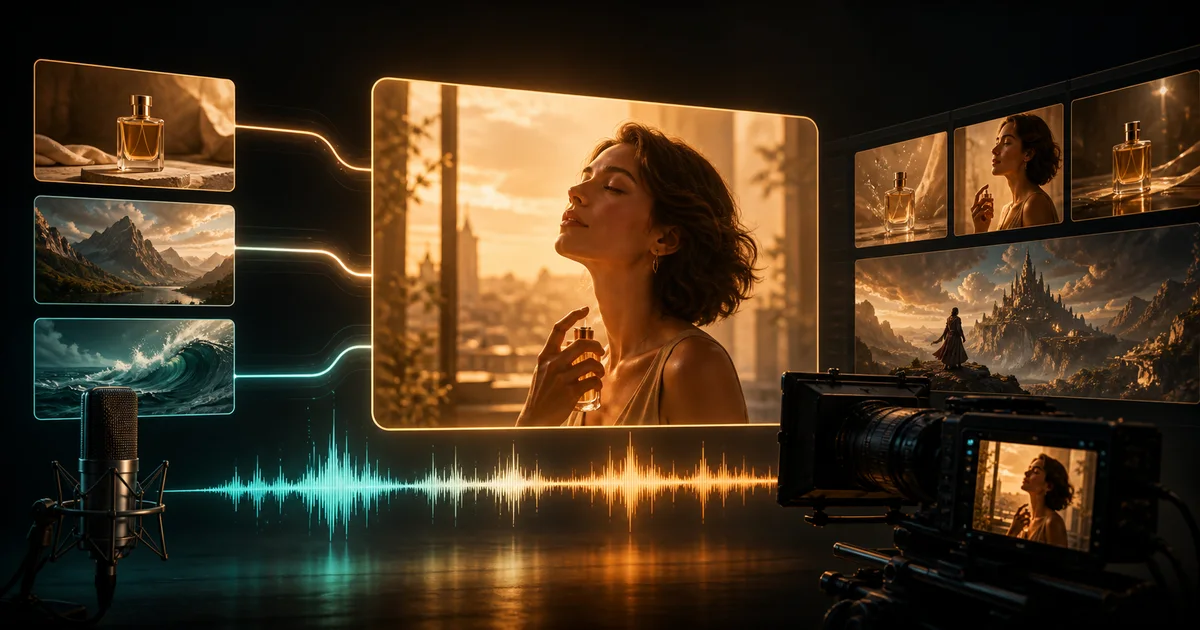
Hailuo H3 is not just a silent text-to-video model. MiniMax designed it to understand text, images, video, and audio in one context, then generate a short video with its soundtrack. The useful question is not whether H3 has more features; it is how to turn those features into a controllable result.
Quick answer: Hailuo H3 is best for 4–15 second AI videos where picture, camera movement, dialogue, ambience, effects, and music need one creative direction. For a reliable first attempt, plan one clear visual beat, describe it chronologically, keep one purposeful camera move, and separate on-screen sound from background music.
Last updated: August 11, 2026. This guide reflects MiniMax's released H3 model card and official prompt-writing guidance.
What is Hailuo H3?
Hailuo H3—also called MiniMax H3 or Hailuo 03—is MiniMax's general-purpose multimodal generation system. It can create video from text, animate an opening image, connect first and last frames, or use image, video, and audio references in supported workflows. Video output can include native stereo sound rather than requiring a separate audio-generation pass.
H3 also marks a change from Hailuo 02. MiniMax describes Hailuo 02 as an effort to improve architecture, data quality, and scale; H3 instead unifies previously separate generation, reference, editing, and audio tasks. Choose H3 when coordinated audio or multimodal control matters. A simpler video model may still be more economical for silent motion tests.
Hailuo H3 specifications at a glance
| Spec | H3 value |
|---|---|
| Duration | 4–15 s |
| Frame rate | 24 FPS |
| Audio | 32 kHz stereo |
| Base output | 768px short side |
| Hosted output | Up to 2K |
H3 is best for one scene, ad beat, product shot, or short social clip. Its 24 FPS output gives a standard cinematic cadence. Native audio can include dialogue, ambience, effects, and music with the picture. Hosted 2K output is a context-aware regeneration step rather than a generic sharpen filter.
Supported aspect ratios include 21:9, 16:9, 4:3, 1:1, 3:4, and 9:16. Stable dialogue support covers 11 listed languages, including English, Chinese, Japanese, Korean, and Spanish. Depending on the workflow, text plus image, video, and audio references can control a subject, opening frame, motion, voice, or soundtrack.
The official MiniMax H3 model card is the source for these specifications. Platform controls can expose a subset of the full research system, so use the settings shown by your generator as the final authority for a particular run.
Hailuo H3 video examples: four capabilities you can see
These four official examples isolate native voice, fine detail, stereo sound, and title-sequence control. Select any preview to open the MP4 and hear its original audio.
1. Native voice and camera motion
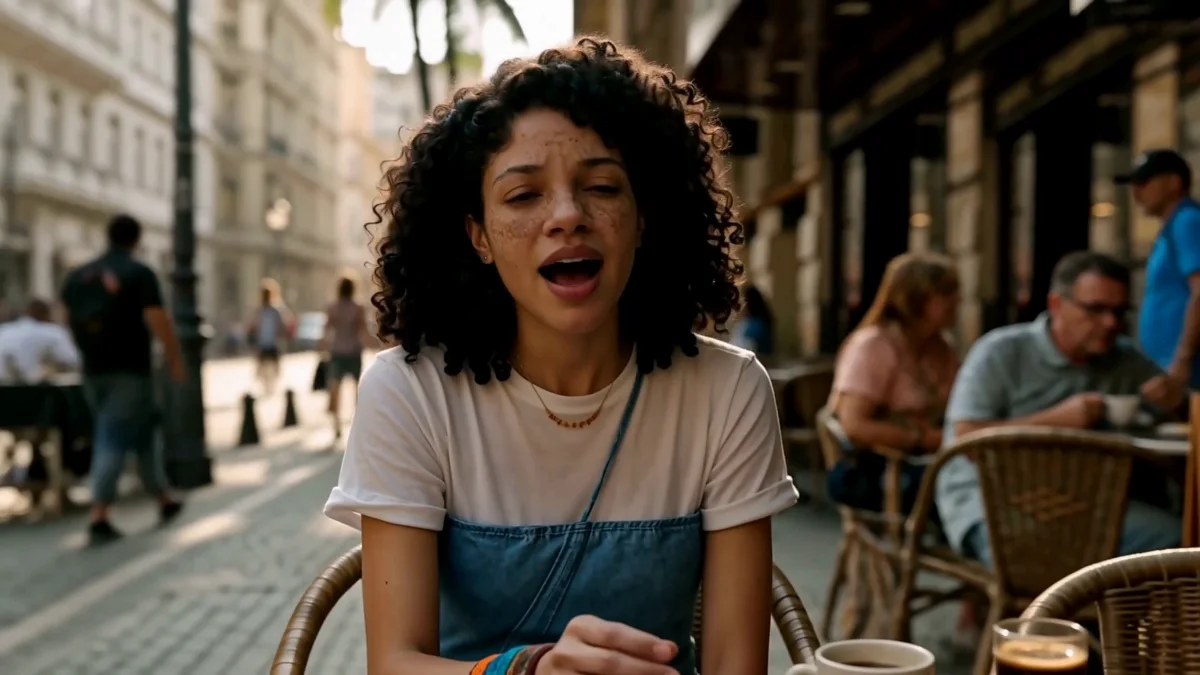
This cafe performance pairs a singer with a moving camera and generated sound. Watch the mouth, face, and background while the framing changes to judge audio and motion coherence.
2. 2K texture and macro detail
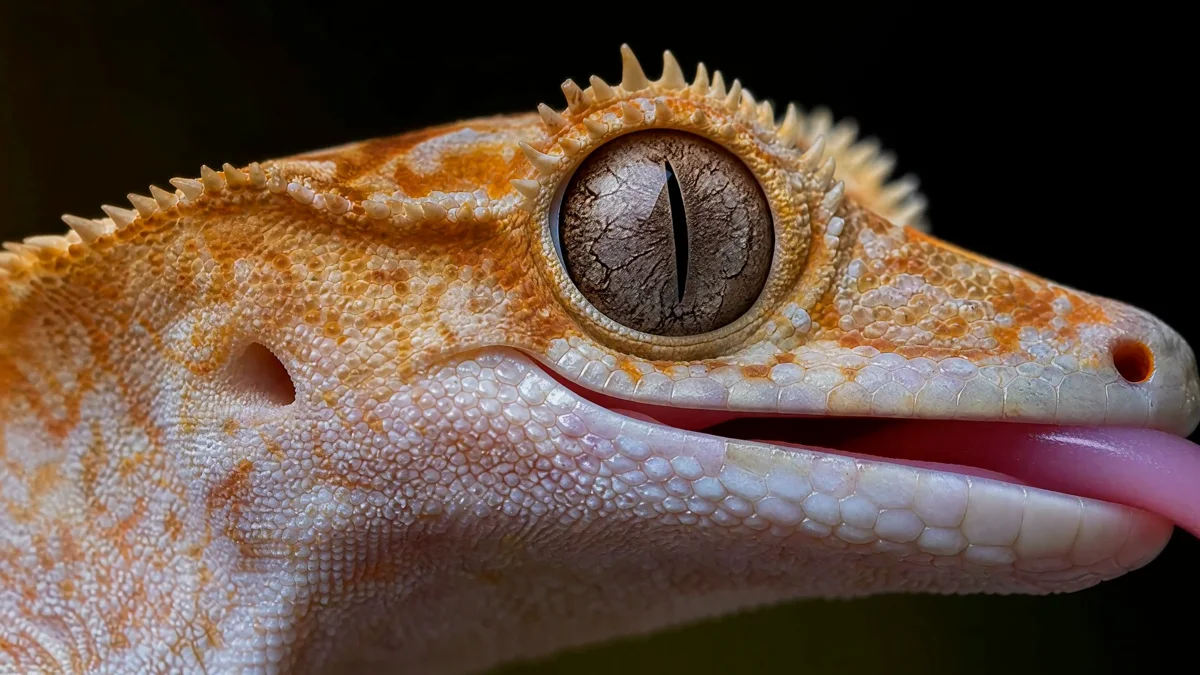
The gecko close-up is a practical 2K test. Fine scales, the eye, and the shallow-focus background make unstable texture or frame-to-frame detail loss easy to spot.
3. Stereo sound and spatial atmosphere
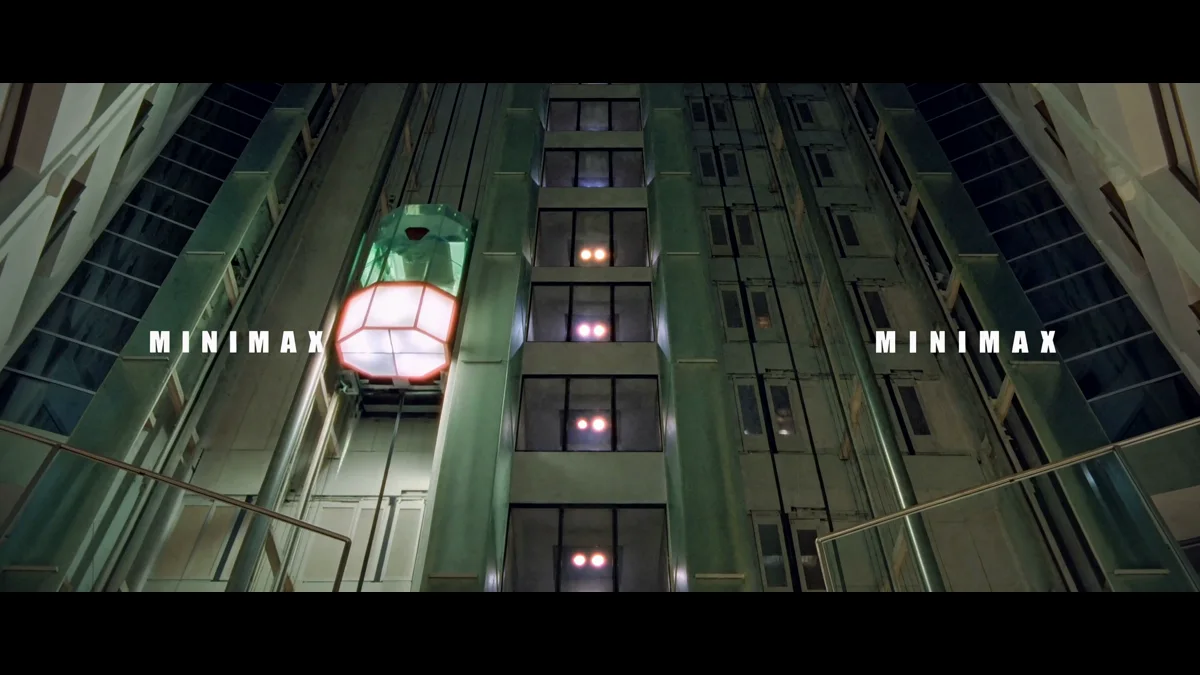
This industrial corridor emphasizes environmental sound and direction. Use headphones and compare the left and right channels while the camera moves through the space; the scene is designed to make spatial audio noticeable.
4. Typography and title-sequence direction
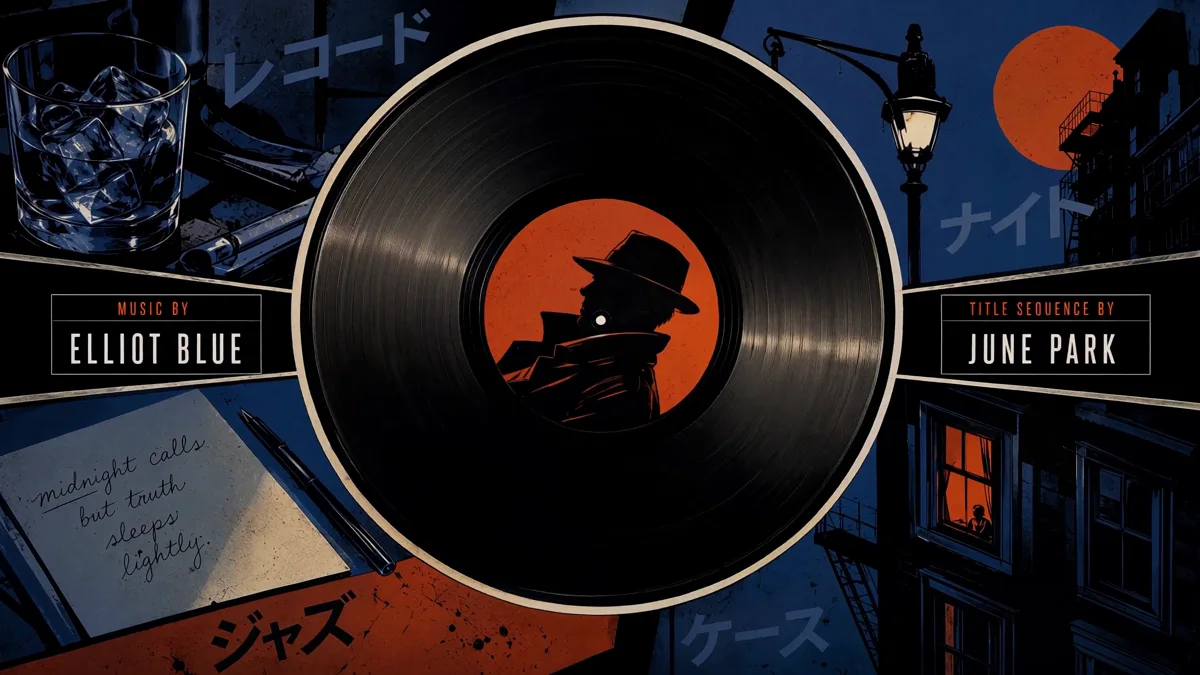
The noir record sequence tests art direction rather than realism alone. It combines controlled lighting, graphic composition, camera timing, and on-screen typography—the kind of layered brief that quickly exposes weak prompt adherence.
How to use Hailuo H3 on Monipix
- Open the model page. Go to the Hailuo H3 video generator, where the H3 workflow and official demo clips are available together.
- Choose text or image input. Text-to-video is better for exploring a new composition. Image-to-video is better when the opening frame, product, character, or aspect ratio must be anchored.
- Plan one deliverable. Decide the duration, destination, subject, main action, final frame, and one must-have sound before writing prose.
- Write events in playback order. Establish the opening composition, describe the action, direct the camera, then specify dialogue and sound. Avoid a list of disconnected visual adjectives.
- Check format and credits. The generator shows available duration, ratio, resolution, and the required credit quote before submission. The Monipix pricing page explains the wider credit system.
- Review image and sound together. Check identity, hands, product geometry, visible text, dialogue timing, lip movement, stereo balance, and the final frame. Revise one instruction at a time.
A good first run is deliberately small. Create a 5-second Hailuo H3 test before committing to a complex 15-second sequence. It is easier to diagnose one camera move and one audio event than five competing ideas.
The official Hailuo H3 prompt structure
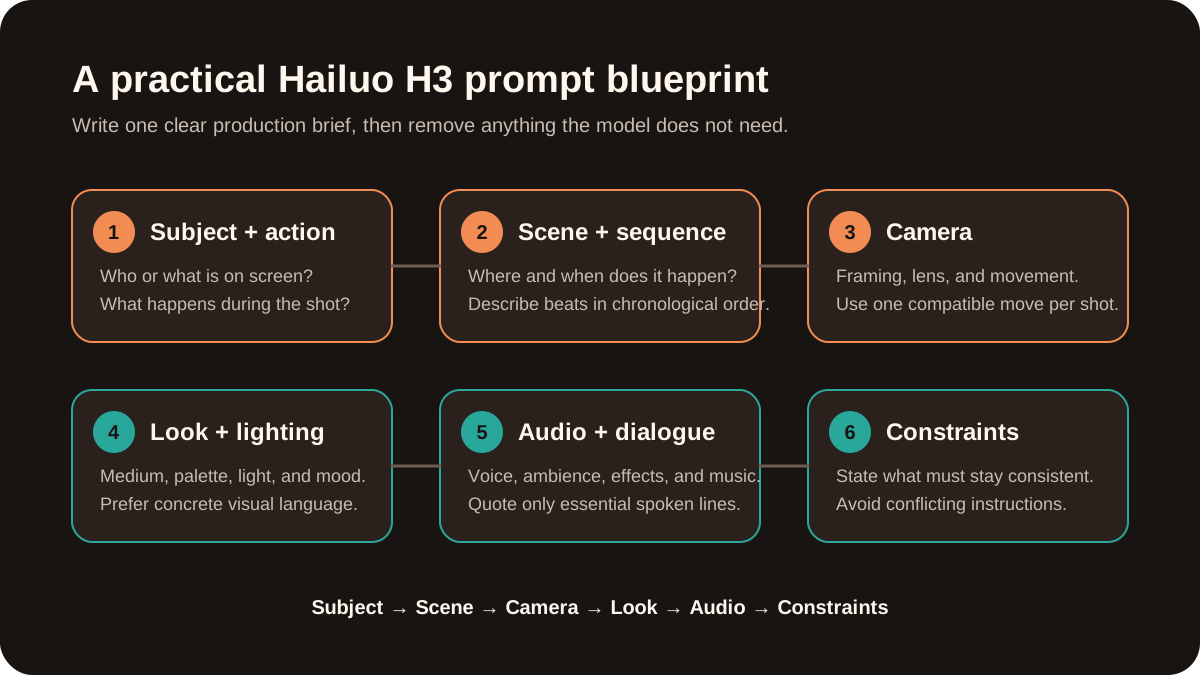
For everyday generation, start with this readable formula:
Subject and opening frame → chronological action → camera → visual treatment → dialogue and diegetic sound → background music → consistency constraint
MiniMax's official H3 prompt-writing guide formalizes the same idea with three fields:
integrated_multimodal_description:
[Shot 1] ...

overall_soundscape:
...

non_diegetic_music:
...
integrated_multimodal_descriptioncontains visible action, shots, camera movement, speakers, dialogue, and sounds that exist inside the scene.overall_soundscapesummarizes ambience and physical sounds such as rain, footsteps, fabric, impacts, or breathing.non_diegetic_musicdescribes music heard by the audience but not by the characters. UseN/Awhen no score is wanted.
This separation prevents a common failure: asking for dialogue, room sound, sound effects, and music in one vague sentence and giving the model no timing or hierarchy.
Write shots and camera movement precisely
Start with [Shot 1] and no timestamp. If the video truly needs a cut, start the next shot with a time such as [Shot 2] At 00:03.500, the camera cuts to.... Every cut should reveal new information; use camera movement when only framing needs to change.
The official guide defines camera direction as motion type + amplitude + speed. Instead of “dynamic cinematic camera,” write “the camera pushes in with small amplitude at slow speed.” One compatible move usually follows better than a stack of pan, orbit, zoom, and handheld instructions.
Format dialogue so the speaker stays identifiable
Give every speaking subject a stable ID and place only the spoken words inside a language tag:
The radio operator with a low,
calm voice (S1) says:
<d>[English]
Channel Seven, the bridge is open.
</d>
Keep the same (S1) across shots. For a voiceover, say says in an off-screen voiceover and state that the visible character's lips remain closed. Short dialogue is easier to fit naturally inside a short clip than a paragraph of copy.
Two Hailuo H3 prompt examples
Text-to-video example with native audio
integrated_multimodal_description:
[Shot 1] Live-action cinematic style.
A tired radio operator in a navy field
jacket stands in a rain-streaked rooftop
control room at blue hour.
A medium tracking shot follows her as she
reconnects one loose cable; the signal
changes from red to green.
The camera pushes in with small amplitude
at slow speed. She leans toward the mic.
The operator with a low, steady voice (S1)
says: <d>[English] Channel Seven,
the bridge is open.</d>
She closes her lips and watches the green
light through the final frame.
Rain, one relay click, and radio static stay
synchronized with the action.
Keep her face, jacket, earpiece, and the
control-panel layout consistent.

overall_soundscape:
Steady rain hits the metal roof while low
radio static fills the room. One cable click
and one relay snap match the visible action.

non_diegetic_music:
N/A
Monipix test result: We generated the sample below through the Metaso MiniMax H3 API using this prompt structure. The delivered five-second MP4 is 2688×1536 at 24 FPS and contains a 32 kHz stereo AAC track.
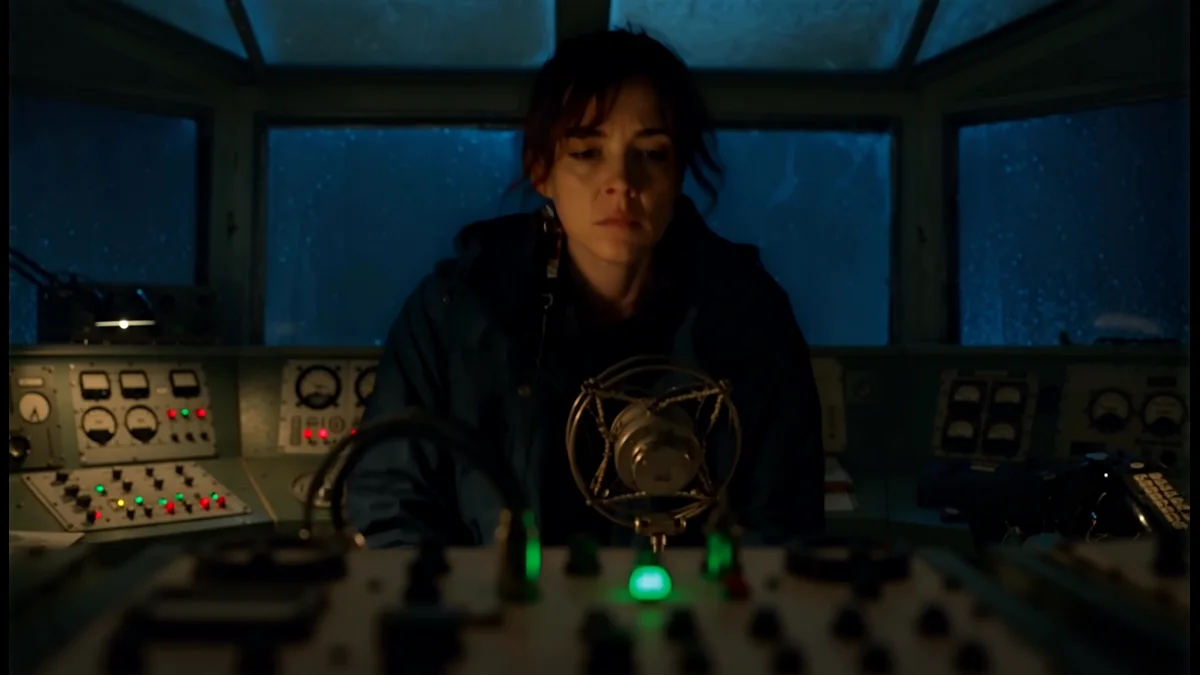
The generated frame keeps the operator, radio console, rain-lit windows, and low-key cinematic lighting in one coherent composition. Open the MP4 to inspect the camera movement and hear the generated audio.
Image-to-video example for a product shot
When a source image supplies the first frame, describe change rather than repeating everything already visible:
The source image is the exact opening frame.
Preserve the speaker's shape, grille pattern,
control layout, pedestal, and charcoal studio
background. Over 6 seconds, a narrow warm
light travels across the fabric texture while
the camera performs one slow arc shot of about
30 degrees. Tiny water droplets rise once with
a deep bass note, then settle as the camera
stops on a clean three-quarter hero view.
Audio: one bass pulse, subtle room reflection,
and a quiet power-button click. No hands, logo
changes, extra text, or shape distortion.
Use text-to-video for open-ended scene exploration and image-to-video when composition or identity control is the priority.
Common Hailuo H3 problems and fixes
- Random or incorrect speech: Dialogue is probably mixed into descriptive prose. Assign
(S1)and put the exact line inside<d>[Language] ...</d>. - Camera direction is ignored: Several movements may be competing in a short duration. Keep one move and specify its type, amplitude, and speed.
- Character or product drifts: Text alone must invent and preserve the subject. Start from a clean image and name the few traits that cannot change.
- Cuts feel rushed: Too many beats are compressed into 4–15 seconds. Remove a cut or generate separate shots for later editing.
- Audio feels crowded: Ambience, effects, dialogue, and score have no hierarchy. Separate soundscape from non-diegetic music and remove nonessential sounds.
- Fine text or hands look wrong: 2K does not eliminate generative artifacts. Shorten visible text, avoid critical hand interactions, and inspect every final frame.
Is Hailuo H3 open source?
Hailuo H3 is openly released, but the complete hosted 2K system is not fully open. MiniMax publishes H3-Base-FL2VA and H3-Base-Ref2VA checkpoints under its Community License. H3-Base produces 768p output; the hosted H3-Context-IR preprocessing system and H3-Regenerate-2K module are not included in the current open release.
That distinction matters. Developers can run and adapt the released base checkpoints, but reproducing the official 2K pipeline still uses hosted API components or a self-built prompt-processing system. Creators who only need finished clips will usually find a hosted workflow simpler than operating the model stack locally.
Limitations and responsible use
H3's 15-second maximum encourages focused shots, not complete films. For longer stories, generate separate clips with a repeated character description or shared reference image, then edit them together. Native audio reduces production handoffs, but it does not remove the need for final sound review.
Inspect faces, fingers, product geometry, reflections, typography, and spoken words at full resolution. MiniMax itself notes that visual detail can still improve in some scenarios. Also confirm that you have rights to every uploaded image, video, voice, logo, and character. Do not treat a generated likeness or voice as permission to imitate a real person.
Final takeaways
Hailuo H3 is strongest when video and sound must follow the same short production brief. Its practical advantages are 4–15 second output, native stereo audio, 24 FPS video, flexible aspect ratios, multimodal references, and an official prompt grammar for shots, dialogue, soundscape, and music.
Start with one shot and one must-have sound. Use an image when exact appearance matters, format dialogue explicitly, and add cuts only when they reveal something new. Then try the Hailuo H3 generator and compare each revision against the same visual and audio checklist.
Frequently asked questions
What is Hailuo H3?
Hailuo H3, also called MiniMax H3 or Hailuo 03, is a multimodal generation system that understands text, images, video, and audio. It creates 4–15 second, 24 FPS videos with native stereo sound and supports text-to-video, frame-guided generation, and reference-based workflows. Hosted output can reach 2K through context-aware regeneration.
Does Hailuo H3 generate audio with video?
Yes. Hailuo H3 generates native 32 kHz stereo audio with the picture. A prompt can coordinate spoken dialogue, environmental ambience, physical sound effects, and background music. Results improve when dialogue stays short and exact, the soundscape contains only important events, and audience-only music is described separately from sounds heard by characters.
How long are Hailuo H3 videos and what resolution do they use?
Hailuo H3 supports durations from 4 to 15 seconds at 24 FPS. The released H3-Base model uses a 768-pixel short side by default, while the complete hosted workflow can regenerate results up to 2K. Available duration, aspect ratio, and resolution controls may differ by platform, so check the generator before submitting.
How should dialogue be written in a Hailuo H3 prompt?
Assign each speaker a stable ID such as (S1), then put only the exact spoken words inside a language tag such as <d>[English] Your line.</d>. Keep the ID consistent across shots and describe voice qualities outside the tag. For voiceover, state that it is off-screen and that the visible character's lips remain closed.
Is Hailuo H3 fully open source?
No—the release is open but the full official pipeline is only partly available. MiniMax released two H3-Base checkpoints under its Community License. The hosted H3-Context-IR preprocessing system and H3-Regenerate-2K module are not included, so local H3-Base generation targets 768p unless developers combine it with hosted components or build alternatives.