
Seedance 2.0 Free Trial: Credits and Limits
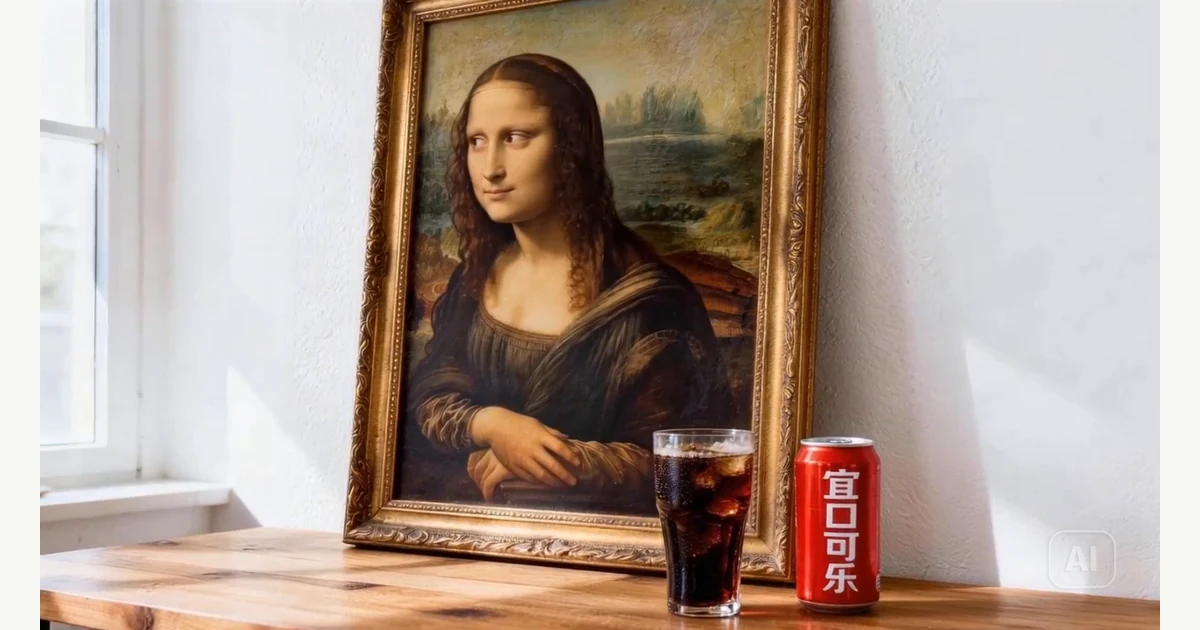
Source: ByteDance Seed's Seedance 2.0 announcement, image-to-video painting demo, 00:03. This official sample illustrates a creative use case; it does not demonstrate free-plan access.
A Seedance 2.0 free trial is useful only if it lets you test the job you actually need. A free account, a credit allowance, and a downloadable video are different things. This guide explains the public free-access claims and shows you how to start a Seedance video in Monipix with a clear first brief.
Quick answer: Dreamina's official Seedance 2.0 page says users can try the model with daily free credits. That does not establish a fixed number of videos for every account or unlimited generation. Check the selected model, available credits, generation cost, and export conditions before starting.
Want to create with Seedance in Monipix? Open Seedance Image to Video. Our video composer lists Seedance 2.0 and 2.0 Fast. Check your balance against the selected job's credit requirement; free account credits do not guarantee a full Seedance render.
Public sources checked October 4, 2026. We did not sign in to test account-specific eligibility or generate a free sample for this article. The official demo frames are not account screenshots or evidence of a completed free trial.
What the official free-access statement means
The FAQ on Dreamina's Seedance 2.0 page describes daily free credits for trying the model and subscriptions for additional access. It does not establish your personal balance, the number of attempts your chosen settings will allow, or a universal watermark-free download entitlement.
Use that statement as a reason to check the official interface, not as a promise about a particular account. A general landing page cannot show every condition attached to your session. The practical question is whether the model and settings you need are available with the credits you can currently spend.
For the model's identity and background, refer to ByteDance's Seedance 2.0 announcement. Keep model documentation separate from a provider's commercial offer. Knowing what a model can do does not tell you what a free plan includes.
Check six details before generating
Read the selected options rather than relying on the page headline. Save a private note or screenshot of the relevant settings if you want to evaluate the trial later. Avoid including account identifiers or billing details in material you intend to share publicly.
Free-trial inspection table:
| Check | What to look for | Why it matters |
|---|---|---|
| Model | The exact selected version and variant | A family name may cover several choices |
| Balance | Credits actually available in your account | Registration alone does not establish a usable allowance |
| Cost | The displayed cost for the selected job | Duration or other options may change what you can test |
| Output | Available dimensions, duration, and aspect ratio | A sample must fit the project you want to evaluate |
| Export | Download availability and watermark conditions | A playable preview is not the same as a usable file |
| Renewal | Whether an offer involves a recurring payment | A discounted subscription is different from free credits |
If a condition is not visible, treat it as unresolved. Do not fill the gap with a number from an old tutorial or a different provider. Choose a smaller test where possible, or read the provider's current help and plan information before proceeding.
Estimate attempts from the displayed cost
Count usable attempts, not just credits. If a hypothetical account shows 120 available credits and the selected job costs 45 credits, it can fund two such attempts, with 30 credits left. Those numbers are an arithmetic illustration, not Dreamina's allowance or a Seedance price.
Repeat the calculation whenever you change an option that affects the quoted cost. Do not assume that extending a clip, enhancing it, or trying another variant uses the same units. If the interface does not show a reliable cost, avoid claiming a precise number of free videos.
Keep some allowance for a revision if the available budget permits it. One attempt can tell you that a prompt needs work, but it may not tell you whether the tool fits the project. A simple test with a clear second step provides more useful information than an elaborate first prompt with no room to iterate.
Design a first test you can judge
Choose one subject, one action, and one camera movement. Use an image you are entitled to upload if you want to evaluate reference handling. Keep the initial goal narrow: does the clip preserve the main object while carrying out a simple motion?
The following original prompt is a suggested test, not a verified Seedance output. Set its duration and aspect ratio using the controls offered by your chosen interface.
A single unbranded ceramic mug rests on a wooden table beside a window.
The camera slowly moves closer while keeping the entire mug visible.
Maintain the same mug shape and handle throughout the shot.
Use soft daylight and a quiet, uncluttered background.
Finish on a steady view of the mug.
Before generating, write down your pass conditions: the mug stays recognizable, the movement follows the brief, and the ending is usable. Afterward, inspect the whole clip and the exported file. Record what happened rather than judging only the most attractive frame.
Have a product photo or illustration ready? Use it to start a Seedance 2.0 video in Monipix. Upload the image and adapt the mug prompt to its subject. Keep the first motion simple so you can tell whether the result follows your direction.

Source: ByteDance Seed's Seedance 2.0 announcement, jazz club dance demo, 00:03. Provider demonstration; not generated in a Monipix trial.
Separate generation from a finished deliverable
A trial should answer whether you can complete your task, not simply whether a video appears. Review the downloaded file at its actual resolution and intended crop. Check the opening, closing, subject continuity, and whether the available audio suits the project.
Inspect the export conditions before relying on the file for a campaign. Check whether the plan allows the use you intend and whether any watermark is acceptable for that destination. Do not assume that a feature mentioned elsewhere on the website belongs to your current free access.
Keep the original export and the settings used to create it. If you later enhance or edit the video, store that version separately. This makes it possible to distinguish the model's output from improvements or errors introduced during post-production.
Recognize when an offer becomes a subscription
Read the amount due today, the renewal amount, and the renewal interval before accepting any paid offer. A low introductory price is still a purchase. A page may discuss both free credits and subscription benefits, so identify the exact option you are selecting.
For a planned project, estimate the number of usable clips you need and allow for rejected attempts. Compare the total projected expense with your budget. Do not calculate the whole project from a single successful demo or assume that every generation will be ready to publish.
If the trial does not meet the brief, note why before changing platforms. Was the model unavailable, the export unsuitable, or the creative result inconsistent? Different problems need different solutions. A larger credit balance does not automatically resolve an output or workflow mismatch.
Start your Seedance video in Monipix
Monipix brings Seedance into its existing video workspace. You can begin with an image or a written scene, then choose the output settings for your clip. To put the trial checklist into practice:
- Open Seedance Image to Video in Monipix if you have a picture, or Seedance Text to Video if you are starting with words.
- Choose Seedance 2.0 in the model selector and add the prompt. Use the same model variant when comparing revisions.
- Select your aspect ratio and inspect the duration and resolution options under Advanced.
- Compare the displayed generation cost with your balance. If more credits are needed, review Monipix plans and credit packs before purchasing.
- Generate when the settings and cost fit your plan, then review the whole clip against the brief.
Monipix and Dreamina have separate accounts and offers. The daily-credit statement above belongs to Dreamina, not to Monipix. On Monipix, use the balance and job cost shown in your own workspace to decide whether you can generate immediately or need additional credits.
Key takeaways
- Dreamina publicly describes free-credit access; your exact allowance still needs an account check.
- Confirm the selected model, quoted job cost, and export conditions before generating.
- Use a small, measurable first test and record both successes and failures.
- Keep free credits, paid introductory offers, and other providers' plans separate.
Ready for your first clip? Create with Seedance 2.0 in Monipix. Bring a clear image and one motion idea, then check the credit requirement before generating. No image yet? Start with a written scene instead.
FAQ
Is a Seedance 2.0 free trial available?
Dreamina's public Seedance 2.0 page describes access through daily free credits. This article has not verified eligibility in a signed-in account. Check whether the intended model is selectable, what balance you have, and what the job costs. A public offer is useful context, but the account interface is necessary to confirm your actual trial conditions.
How many free videos can I generate?
This guide does not establish a universal number of free videos. Divide the usable balance shown in your account by the quoted cost of the selected job, allowing only whole attempts. Recheck after changing settings. Do not treat an example from another account, date, or provider as a guarantee about your own allowance.
Is a free preview the same as a free download?
No, a playable preview does not by itself establish downloadable output or its conditions. Inspect the export options, watermark rules, and applicable use terms before treating the trial as a production workflow. Review the actual downloaded file if available. A successful generation is only one part of obtaining an asset you can use.
How can I tell whether a trial requires payment?
Inspect the selected offer before accepting it. If it shows an amount due or a recurring renewal, evaluate it as a paid plan rather than assuming it is free. Keep the introductory charge and later renewal terms separate. If the interface leaves those conditions unclear, resolve them before continuing with the purchase.