AI Photo Editor: Edit Any Photo with Plain Words
Upload a picture, describe the adjustment you want, and download the finished result. Supports JPG, PNG, and WebP up to 10MB, ready in roughly sixty seconds.
Popular models
Get inspired
Click any picture to use its prompt
Everyday photo fixes our AI photo editor handles fast
Great shots often fail because of one small issue: flat lighting, a busy backdrop, wrinkled clothing, or awkward clutter. Instead of learning complex desktop brushes and layers, write what needs to improve and let this AI photo editor carry out the change while keeping your subject recognizable and natural across portraits, travel albums, and storefronts.
Swap messy backgrounds and skies cleanly
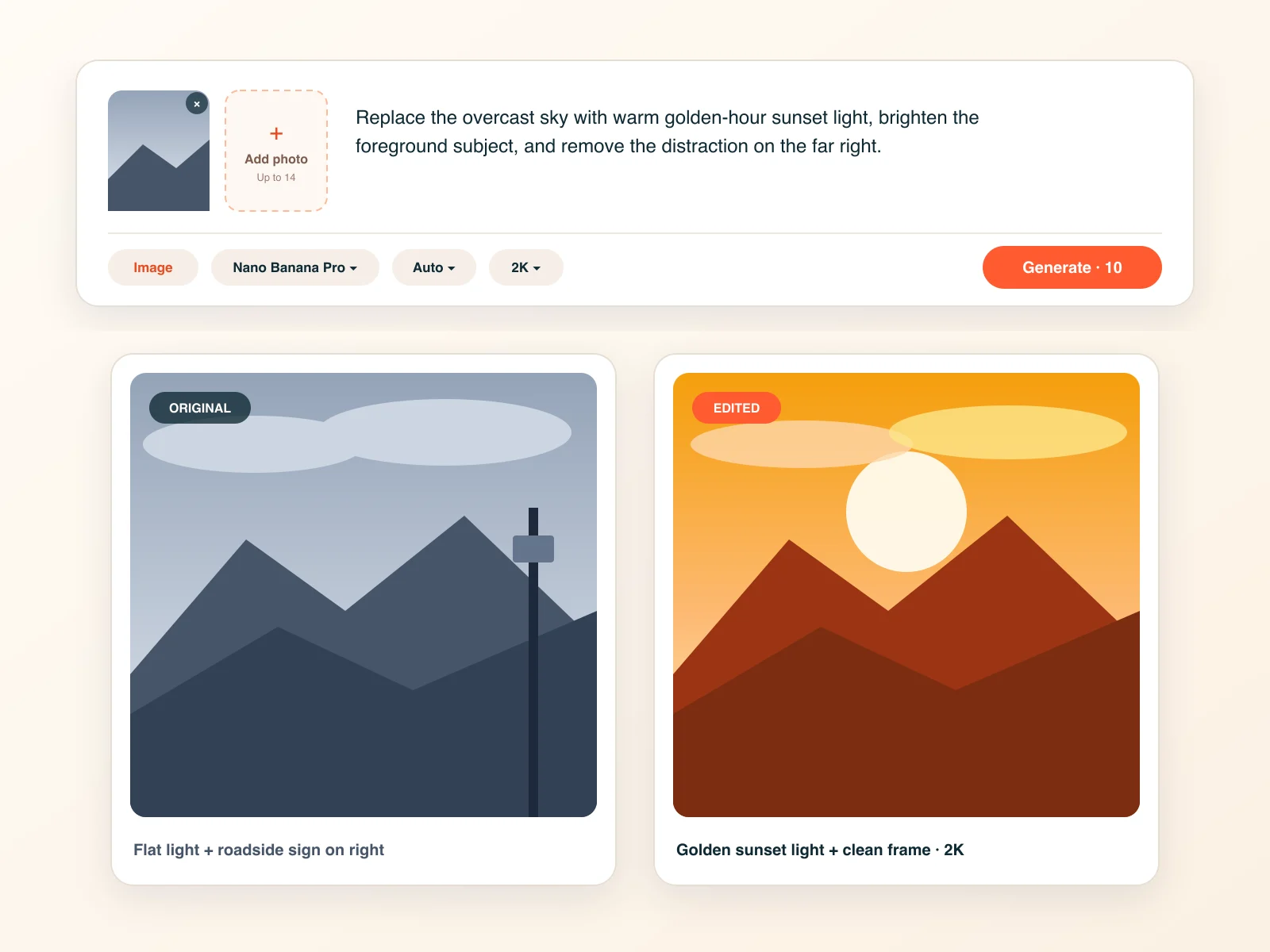
Move a portrait from a cluttered living room to a bright studio backdrop, or trade a dull overcast sky for warm golden sunlight. Our AI photo editor blends shadows and edge lighting naturally around hair, glasses, and shoulders without harsh cutouts.
Fix harsh lighting, tones, and color casts
Rescue dim indoor snapshots, balance blown-out window glare, or give product pictures a cohesive warm tone. Describe the mood you want and keep skin tones, fabrics, and surfaces looking believable without manual curves or tedious color grading panels.
Retouch outfits, props, and small distractions
Smooth creased shirts, switch a jacket color, tidy stray cables on a desk, or remove unwanted bystanders in a single pass. Your original framing and natural facial expression stay intact while the distracting element disappears cleanly from view.
- Default cost
- 10 credits per edit at 1K or 2K, 18 credits at 4K on Nano Banana Pro
- Faster options
- Switch to Nano Banana 2.1 in the menu for 3 credits at 1K or 5 at 2K
- Supported uploads
- Upload JPG, PNG, or WebP up to 10MB each, with up to 14 reference photos
- Download sizes
- Choose 1K, 2K, or 4K output while Auto keeps your original frame shape
How to edit pictures with our AI photo editor
Six quick steps from upload to finished download inside our AI photo editor. Everything runs directly in your modern browser on phone or desktop with zero software installs, manual brushes, or tedious masking skills required.
More editing tools that pair with this AI photo editor
One plan for upscaling and AI generation
Every plan upscales to 8K & 16K. Paid plans add far more credits and every image and video model.
Starter
- Every image & video model, full video renders
- Use credits anytime — no monthly cap
- Email support
Professional
- Every image & video model, full video renders
- Use credits anytime — no monthly cap
- Priority support
Premium
- Every image & video model, full video renders
- Use credits anytime — no monthly cap
- Priority support
AI photo editor: frequently asked questions
AI Photo Editor: Edit Any Photo with Plain Words
Upload a picture, describe the adjustment you want, and download the finished result. Supports JPG, PNG, and WebP up to 10MB, ready in roughly sixty seconds.